

What is its purpose?
This document is your employee’s declaration of the income tax credits and allowances they wish to claim during the year. The format of this document is prescribed and a template can be found on the Financial Administration website (version 26).
In plain language, when an employee signs this declaration, they are saying that they want you, as their employer, to apply the tax credits to which they are legally entitled. Most commonly, this is the basic taxpayer credit, to which every employed person is entitled. Employees also often claim child tax credits. By signing this document, the employee is saying they want you to apply the credit monthly. This means that 15% income tax is calculated on their gross salary, and the monthly credit to which they are entitled is deducted from it. You then deduct only the tax after the credit from their pay and send that to the tax office.
If an employee’s tax credit exceeds the tax itself, they do not have to pay any tax on their wages. For example, tax on CZK 10,000 earned under a DPP agreement is 15%, i.e. CZK 1,500. The basic taxpayer credit is CZK 2,320/month. This credit fully covers the worker’s tax, so the worker receives their full CZK 10,000 pay in their account and the employer no longer has to send any tax to the tax office. A credit can produce a positive payment only if the employee claims child tax credits. In that case, the tax credit becomes a tax bonus. So, again, a DPP agreement for CZK 10,000, tax of 15%, i.e. CZK 1,500. The basic taxpayer credit is CZK 2,320/month and the credit for the first child is CZK 1,267/month. You therefore pay this employee CZK 10,000 plus a tax bonus of CZK 1,267. The tax office will, of course, reimburse you for this bonus.
How do you complete the declaration correctly?
The form has several sections; let us go through how to fill them in.
Part 1 – header
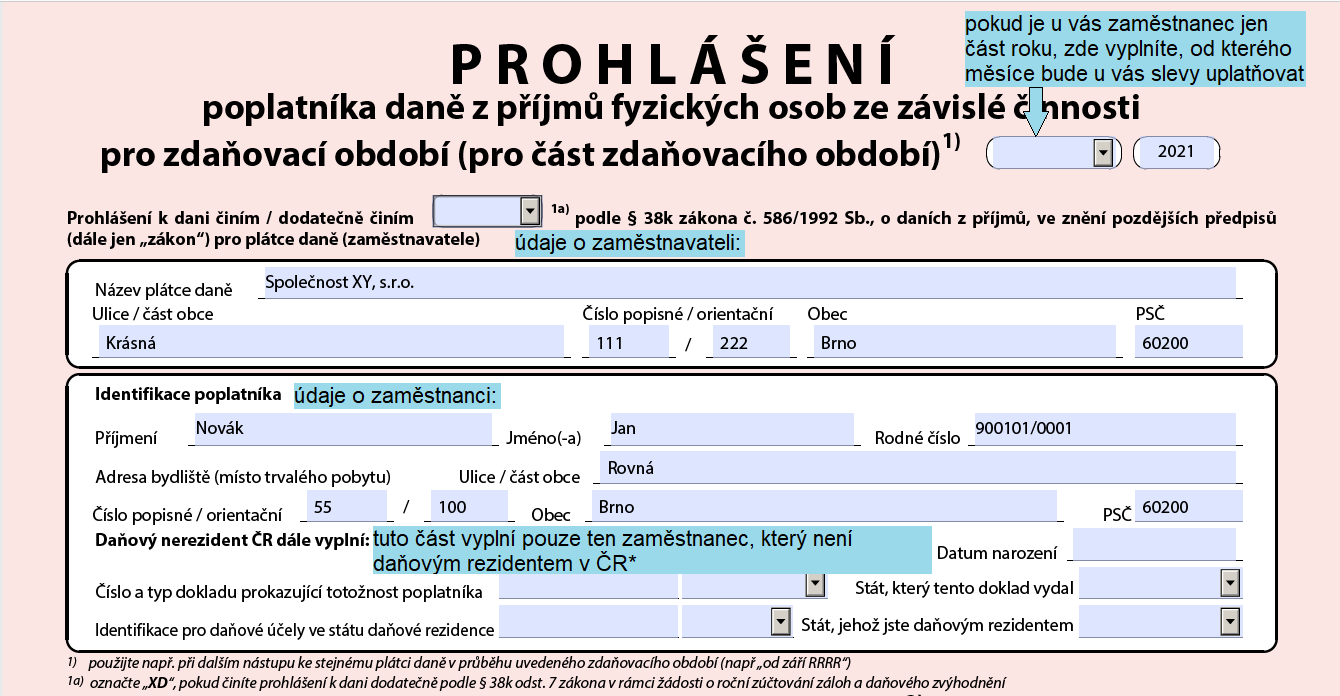
*A tax non-resident is an employee who has not spent 183 days or more in the Czech Republic in the year concerned, does not have permanent residence in the Czech Republic and does not have their centre of interests here (their own flat in which they live, a spouse, a child, or a regular employment contract). Determining tax residence can often be tricky; I recommend contacting a tax adviser. 🙂
Part 2 – basic, disability, ZTP/P cardholder and student credits
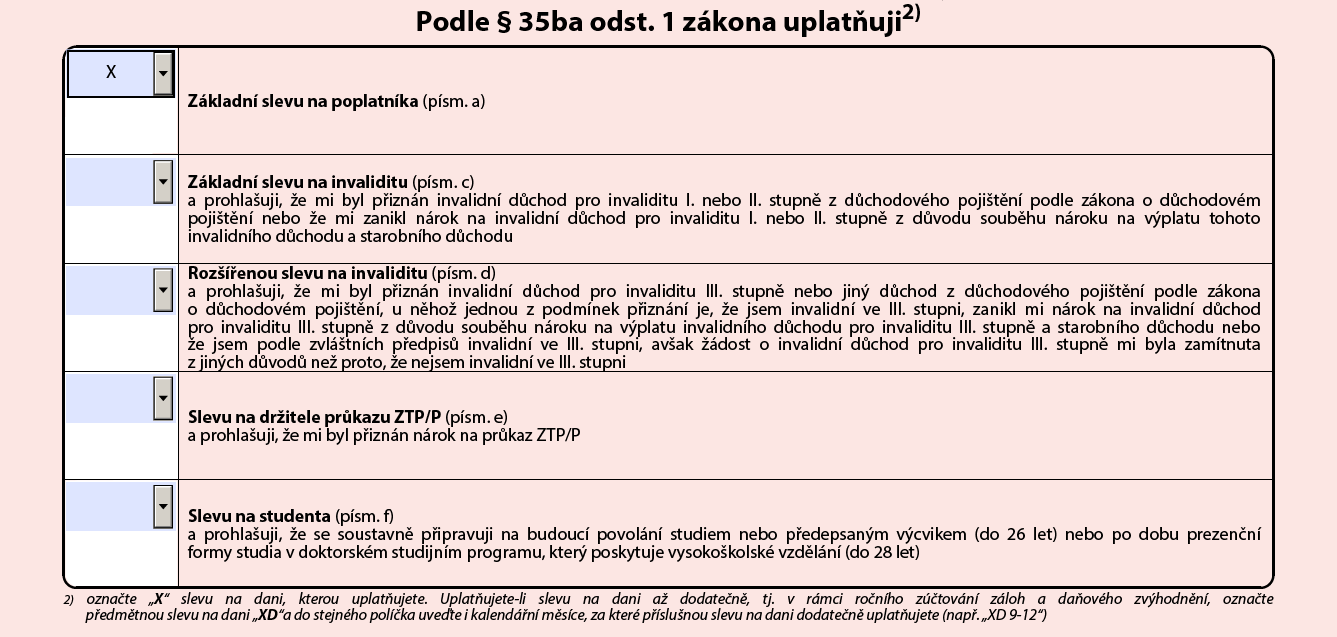
Here the employee marks the credits they wish to claim with an “X”. These credits can be claimed for the same period with only one employer. The basic taxpayer credit is available to every tax resident. The basic and enhanced disability credits are available to people awarded a disability pension for level I or II disability in the case of the basic credit, or level III disability in the case of the enhanced credit. The ZTP/P cardholder credit is specifically for holders of this severe disability card. The student credit can be claimed by students in full-time secondary or university education up to age 26. Students on a full-time doctoral programme are entitled to this credit up to age 28.
Part 3 – child credits
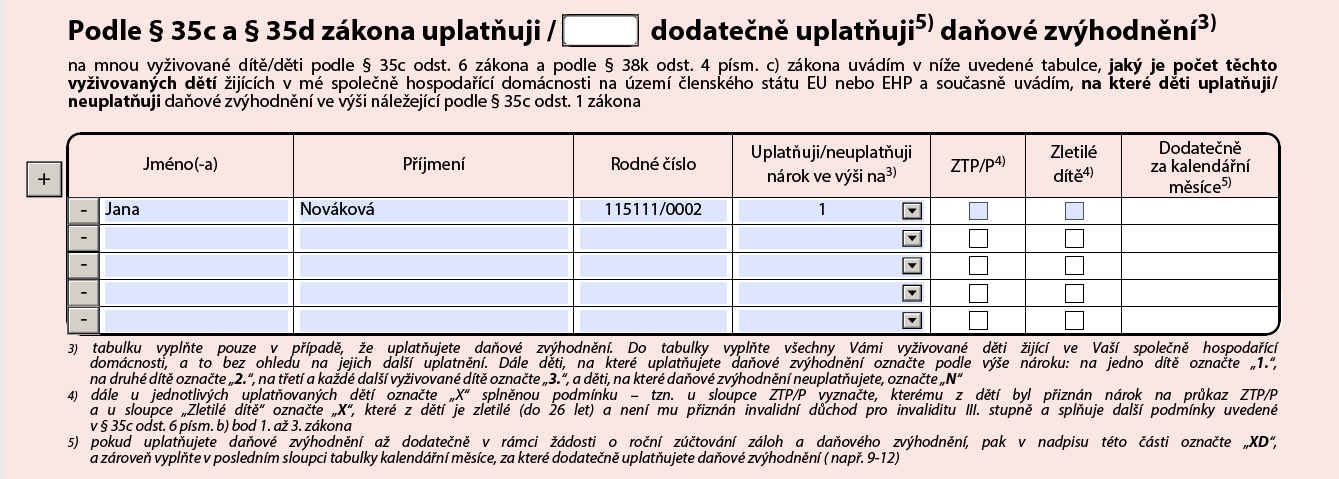
In this table, the parent enters their entitlement to child tax relief. Only one parent can claim this relief at a time. Entitlement is not restricted to biological parents; a person who supports and cares for the child is also entitled. In the column for the amount of relief, enter code N for a child for whom no relief is being claimed. Code 1, 2 or 3 is entered for children for whom relief is being claimed. The number indicates the child’s “order”. For the fourth and each subsequent child, enter code 3.
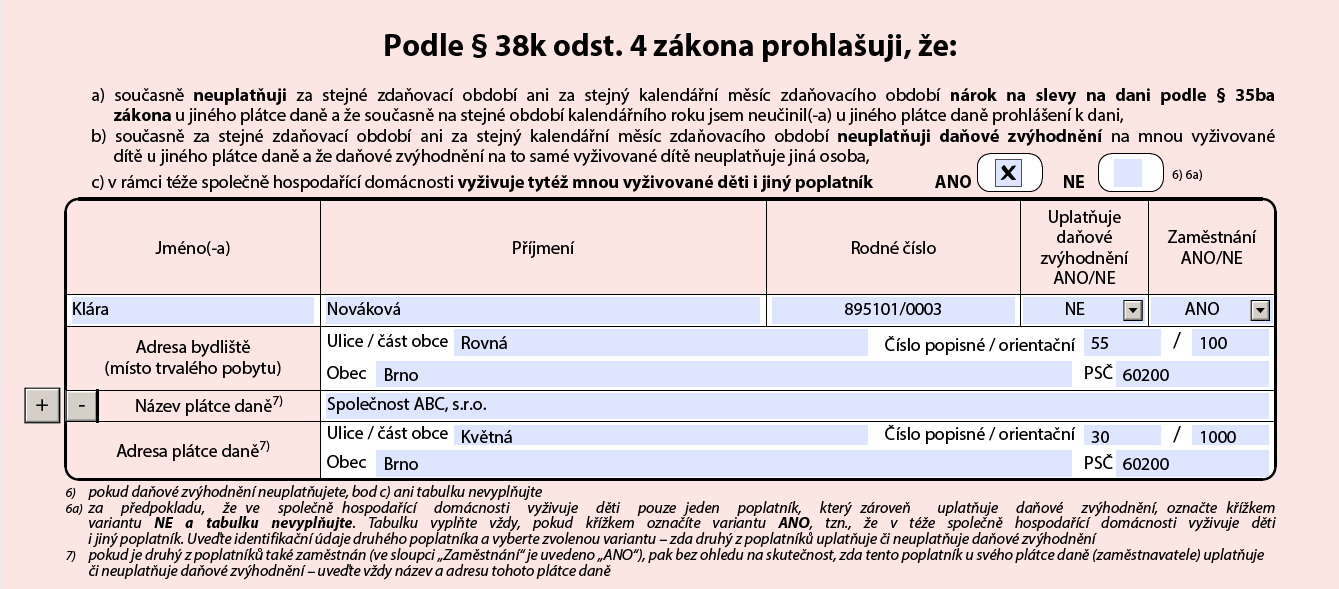
This section applies where the employee has children who are also being brought up by the other parent. Tax relief can be claimed by only one parent. The details of the other parent are therefore entered here. If the other parent is employed, details of their employer must also be provided.
Part 4 – signatures
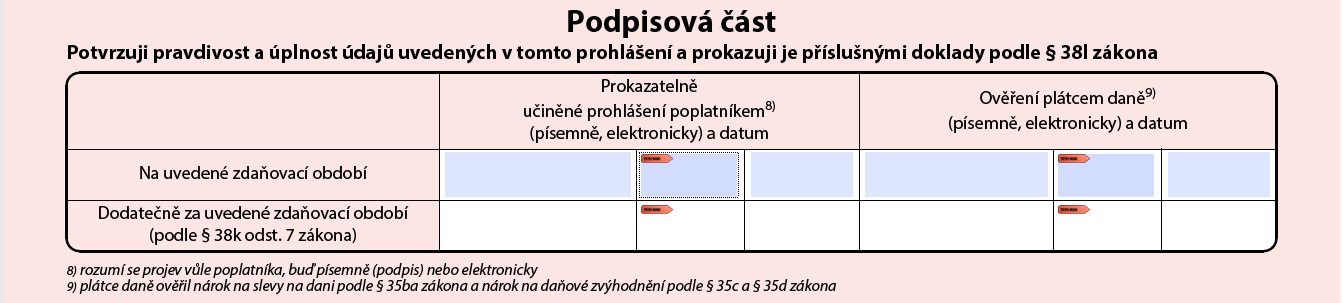
The most important part of the document. Here the employee signs to confirm that the information they have provided is true and complete. The employee signs the top left box and adds the date. The employer, who has verified the information, signs the top right box. I recommend that employers thoroughly check all entitlements to tax credits and obtain supporting documents for every credit except the basic credit.
For example, for a child tax credit, I always want to see the child’s birth certificate and confirmation from the partner or spouse that they are not claiming the credit. If the partner or spouse is employed, I want confirmation that they are not claiming the child tax credit from their employer. For disability credits, I want to see proof of disability. For the student credit, I want to see confirmation of studies. And so on .. 🙂 It is a ridiculous amount of paperwork, but it is usually the employer who is penalised for mistakes.
The second row is completed only if information changes after signing, typically when a child is born. You record this change in the subsequent changes section.
Part 5 – changes
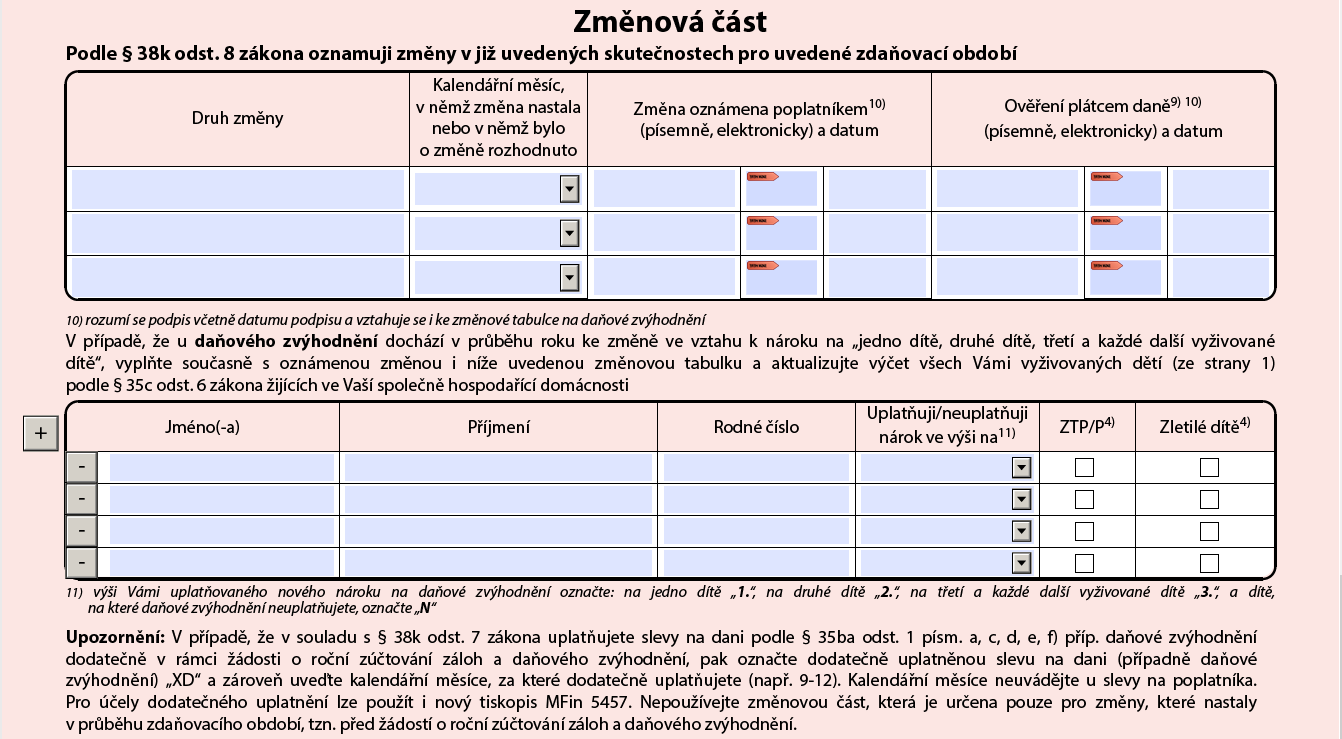
Entries here are made in the same way as in the sections above.
For a DPP agreement, for example, the most common entries are the header (part 1), a cross for the basic taxpayer credit (part 2) and a signature (part 4). That is all. For regular employment contracts, more credits are usually claimed, most commonly child credits (part 3).
With this guide, completing the taxpayer’s declaration correctly should be a breeze and will save both you and your accountant time. 🙂 If you are unsure, do not hesitate to get in touch and we can look at it together.